Using Windows Live Messenger you can sign in to Windows Live Messenger on multiple devices or computers at the same time.

That means, if you’re already signed in to Messenger on a computer, you can sign in on on another computer without having to sign out on the first computer. You can also sign in to Messenger on your computer and on the web or any other devices like Windows Mobile at the same time.
To turn off Sign In Multiple feature :
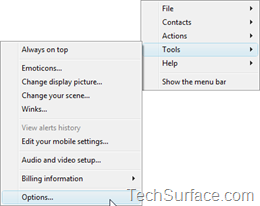
- In WLM, On the Tools menu, click Options.
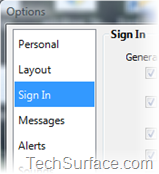
- In the left pane, click Sign In.
- In the Sign in at more than one place section, select Sign me out of all other places when I sign in to Messenger, and then click OK.
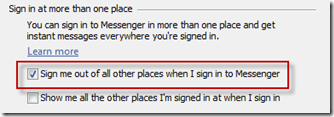
Notes* To turn this feature back on, repeat these steps and clear Sign me out of all other places when I sign in to Messenger.

